
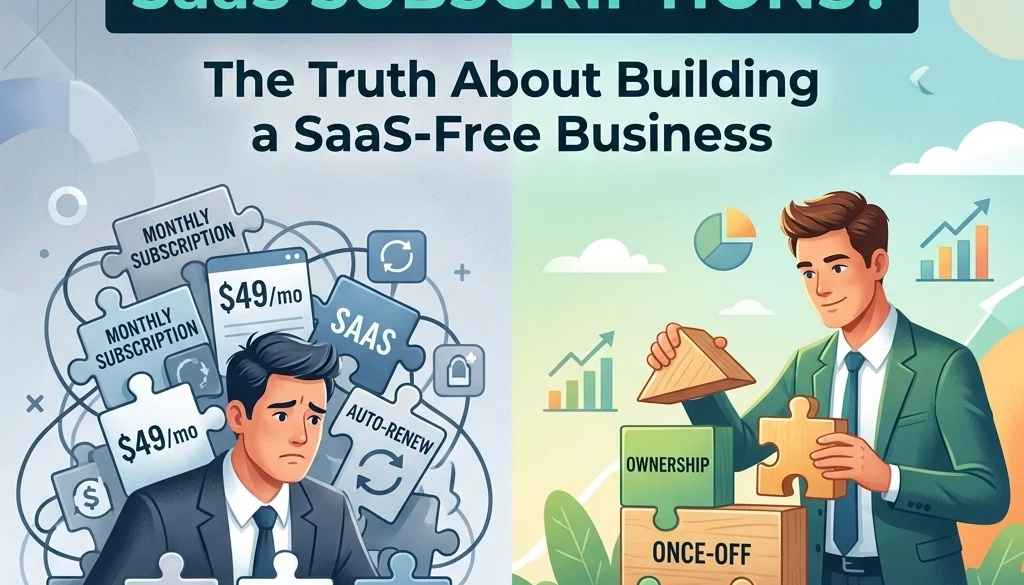
Do You Really Need SaaS Subscriptions? The Truth About Building a SaaS-Free Business
Financial Implications of SaaS Proliferation
The current software landscape is defined by the Software-as-a-Service (SaaS) model. Businesses utilize multiple subscriptions for daily operations. Monthly expenditures on these tools increase as teams scale. Total cost of ownership for SaaS includes license fees, data storage costs, and premium feature tiers.
Recurring billing cycles create fixed operational costs. These costs remain constant regardless of tool utilization rates. Dependency on external providers introduces risks regarding price fluctuations and service continuity. A transition to a SaaS-free model involves the replacement of proprietary subscriptions with self-hosted, open-source alternatives.
Identification of SaaS Dependencies
A systematic audit of existing software subscriptions is required. Categories of common SaaS dependencies include:
- Customer Relationship Management (CRM): Salesforce, HubSpot, Pipedrive.
- Project Management: Asana, Monday.com, Jira.
- Internal Communication: Slack, Microsoft Teams.
- Marketing Automation: Mailchimp, Klaviyo.
- Document Collaboration: Google Workspace, Microsoft 365.
- Analytics: Google Analytics 360, Mixpanel.
Each category corresponds to specific business functions. Data must be identified and mapped for potential migration.

Open Source SaaS Alternatives
Open-source software provides the source code for modification and deployment on private infrastructure. The following tools serve as functional replacements for primary SaaS categories.
Customer Relationship Management (CRM)
SuiteCRM and EspoCRM are utilized to manage lead pipelines and customer data. These platforms offer modularity. Features include contact management, workflow automation, and reporting. Deployment occurs on private servers, ensuring data sovereignty.
Project and Task Management
OpenProject and Taiga replace proprietary project tracking tools. These systems support Agile, Kanban, and Scrum methodologies. Task hierarchies, Gantt charts, and resource allocation modules are included. Integration with version control systems is standard.
Communication and Collaboration
Rocket.Chat and Mattermost function as alternatives to Slack. These platforms support direct messaging, channels, and file sharing. End-to-end encryption is configurable. For document collaboration, Nextcloud integrates file storage with office suites like OnlyOffice or Collabora Online.
Marketing Automation
Mautic is a primary open source saas alternative for marketing automation. It facilitates lead scoring, email campaigns, and landing page creation. Integration with existing databases is achieved through APIs.
For businesses requiring specialized builds, custom software development replaces generic subscription features with purpose-built logic.
Infrastructure: VPS Setup and Management
Building a SaaS-free business requires local or cloud-based infrastructure. A Virtual Private Server (VPS) is the standard deployment target.
Provider Selection
Infrastructure providers such as Hetzner, DigitalOcean, or Linode offer VPS instances. Selection criteria include:
- CPU and RAM allocation.
- Storage type (NVMe/SSD).
- Bandwidth limits.
- Geographic location of data centers.
Server Environment Configuration
Linux distributions (Ubuntu, Debian, or CentOS) serve as the operating system. The software stack often includes:
- Web Servers: Nginx or Apache.
- Databases: PostgreSQL, MariaDB, or MongoDB.
- Containerization: Docker and Docker Compose for application isolation.
VPS Setup and Management Protocols
VPS setup and management involves initial hardening. This includes:
- Disabling root login.
- Implementing SSH key-based authentication.
- Configuring a firewall (UFW or Firewalld).
- Installing Fail2Ban to mitigate brute-force attempts.
Automated deployment scripts or orchestration tools (Ansible, Terraform) ensure consistency across server environments. Information regarding open source deployment strategies details the transition from manual to automated setups.

Data Sovereignty and Security
SaaS-free models prioritize data sovereignty. Data is stored on controlled hardware. This reduces exposure to third-party data breaches.
Backup Systems
Redundancy is mandatory. Automated backup routines must be established. Tools like Restic or BorgBackup facilitate encrypted, incremental backups to offsite locations (S3-compatible storage or physical hardware).
SSL/TLS Encryption
Encryption in transit is managed through Let's Encrypt. Automated certificate renewal via Certbot ensures continuous security for all hosted web interfaces.
Identity and Access Management (IAM)
Keycloak or Authelia provide centralized authentication. Single Sign-On (SSO) and Multi-Factor Authentication (MFA) are implemented across the self-hosted stack. This replicates the security features of enterprise SaaS products.

Integration and Automation
A common criticism of self-hosted stacks is the lack of interoperability. This is addressed through internal automation.
Self-Hosted Automation Engines
n8n or Pipedream function as alternatives to Zapier. these tools connect different self-hosted applications. Data flows are triggered by webhooks or database changes.
AI Integration
Large Language Models (LLMs) can be integrated into the workflow. Self-hosting LLMs ensures that proprietary business data is not transmitted to external AI providers. These models assist in data processing, content generation, and automated customer support through AI agents.

Economic Comparison: SaaS vs. Self-Hosting
The transition involves a shift from Operating Expenses (OpEx) to initial Capital Expenditure (CapEx) or lower, fixed infrastructure costs.
SaaS Scenario
- CRM: $150/user/month.
- Project Management: $20/user/month.
- Communication: $15/user/month.
- Total for 10 users: $1,850/month.
Self-Hosted Scenario
- VPS (High Performance): $80/month.
- Offsite Backup: $20/month.
- Maintenance Labor: Calculated as internal hours or managed service fee.
- Total: $100/month + maintenance.
The AI automation ROI calculator provides a framework for analyzing the financial efficiency of these transitions.
Challenges and Mitigation
Technical Expertise
Self-hosting requires server administration skills. If internal resources are unavailable, managed custom software services fulfill this requirement.
Maintenance Overhead
Updates and security patches must be applied manually or through automated pipelines. Use of Docker simplifies the update process through image pulling and container restarting.
Scalability
Vertical scaling involves increasing VPS resources. Horizontal scaling involves distributing applications across multiple servers using load balancers.

Implementation Roadmap
The transition to a SaaS-free business follows a phased approach:
- Inventory: Document all active subscriptions and their costs.
- Pilot: Select one non-critical tool (e.g., Internal Wiki) and migrate to an open-source alternative like BookStack.
- Infrastructure Setup: Provision a VPS and configure security protocols.
- Data Migration: Export data from SaaS providers and import into self-hosted instances.
- Validation: Ensure all integrations and automations are functional.
- Termination: Cancel SaaS subscriptions once the self-hosted system is verified.
For organizations operating across borders, understanding the cost differences between regions aids in resource allocation for migration projects.
Conclusion
The elimination of SaaS subscriptions is achievable through the utilization of open-source software and robust VPS management. This model provides cost reduction, enhanced security, and complete control over the business technology stack. Marketrun facilitates these transitions through AI automations and custom software development.
Further information on specific deployment strategies is available on the Marketrun blog. Detailed service descriptions for US clients and India-based clients are provided to assist in local and offshore implementation.


