
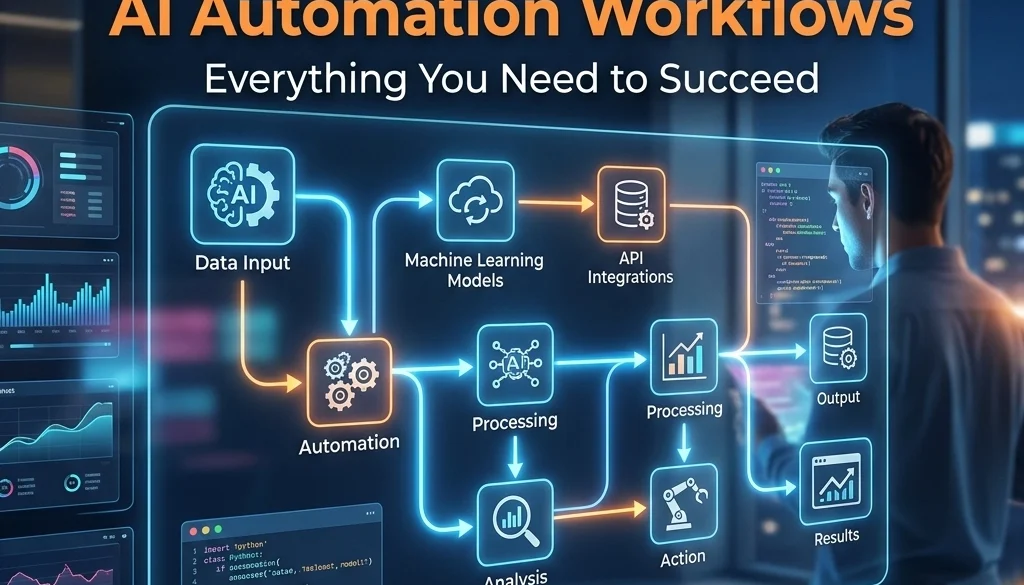
The Ultimate Guide to AI Automation Workflows: Everything You Need to Succeed
AI Automation Workflow Definition
AI automation workflows are sequences of operations where artificial intelligence models perform tasks, make decisions, or process data within a structured business process. These workflows transition from static, rule-based automation to dynamic systems capable of handling unstructured data and non-linear logic. To automate business operations with ai, a combination of triggers, large language models (LLMs), and integration layers is required.
Core Components of AI Automation Workflows
1. Event Triggers
Triggers initiate the workflow. These are categorized as:
- Time-based triggers: Execution occurs at specified intervals.
- Webhook-based triggers: External systems send data packets to initiate the process.
- Database-level triggers: Changes in a system of record (CRUD operations) start the sequence.
- Natural language triggers: Inbound communication via email or chat prompts action.
2. Integration Layer
The integration layer facilitates data movement between disparate systems. Connectivity is achieved through:
- Application Programming Interfaces (APIs): Direct programmatic communication.
- Middleware: Software that bridges data between incompatible platforms.
- Custom Connectors: Code written to interface with proprietary or legacy software.
3. AI Processing Nodes
Nodes contain the logic for data interpretation. This involves:
- Categorization: Sorting data into predefined classes.
- Extraction: Pulling specific entities from unstructured text.
- Transformation: Converting data from one format or tone to another.
- Reasoning: Determining the next step based on a set of provided instructions.

Connecting Disparate Systems for Operation Automation
The primary obstacle in enterprise automation is the fragmentation of data across isolated platforms. Integration strategies include:
Universal Data Mapping
A standardized schema is applied to all incoming data. Regardless of the source (CRM, ERP, or legacy database), data is normalized into a format the AI model recognizes.
State Management
State management tracks the progress of a workflow across multiple systems. This ensures that if a system is offline or a request fails, the workflow maintains a record of the current status and retries the operation when connectivity is restored.
Authentication Protocols
Secure connection to disparate systems requires management of:
- OAuth 2.0: Token-based authorization.
- API Keys: Static identifiers for system access.
- IAM Roles: Permission structures within cloud environments.
To explore specific implementation strategies for these connections, refer to the Marketrun AI development solutions.
Advanced Implementation Strategy
Step 1: Process Inventory
Identify every manual task within a department. Record the input, the decision criteria, and the output. Use the AI automation ROI calculator to determine the feasibility of automating each identified process.
Step 2: Architecture Design
Select the appropriate model for the task.
- Generative Models: Use for content creation or summarization.
- Predictive Models: Use for forecasting or risk assessment.
- Specialized Agents: Use for multi-step task execution.
Detailed architectural guides are available at ai-agents-automations-guide-2026.
Step 3: Human-in-the-Loop (HITL) Integration
Manual intervention points are established for high-stakes decisions. The AI completes 90% of the labor, while a human operator provides a final verification.

Technical Architecture and Logic
Prompt Engineering and Logic Chains
Workflows utilize logic chains (Chain of Thought) to ensure accuracy. The process is broken into sub-tasks:
- Validation: Check input data for completeness.
- Context Retrieval: Fetch relevant data from internal databases (RAG – Retrieval-Augmented Generation).
- Drafting: Generate the initial output.
- Self-Correction: The model reviews its own output against constraints.
Error Handling Protocols
Standardized protocols for workflow failure include:
- Exponential Backoff: Increasing the wait time between retry attempts.
- Dead Letter Queues: Storing failed tasks for manual review.
- Fallback Models: Switching to a secondary AI model if the primary model is unresponsive.
Data Security and Governance
When you automate business operations with ai, data security is mandatory.
Data Residency
Organizations must determine where data is processed. Options include:
- Public Cloud LLMs: Data processed on external servers (e.g., OpenAI, Anthropic).
- Self-Hosted LLMs: Models deployed on private infrastructure to ensure data remains within the corporate perimeter. Information on this approach is found at self-hosting-llms-2026-guide.
Anonymization
PII (Personally Identifiable Information) is redacted or replaced with tokens before being sent to an AI processing node. The original data is re-associated with the output at the final stage of the workflow.

Scaling AI Automation Workflows
Scaling requires a shift from individual automations to an automation ecosystem.
Infrastructure Orchestration
Tools like Kubernetes or serverless functions manage the computational load. As request volume increases, the infrastructure scales to meet demand.
Monitoring and Observability
Key performance indicators (KPIs) for ai automation workflows include:
- Success Rate: Percentage of workflows completed without error.
- Latency: Time taken from trigger to completion.
- Token Usage: Computational cost per execution.
- Accuracy: The alignment of AI output with expected results.
Version Control
Workflows are versioned using Git or similar systems. This allows for the rollback of automation logic if a new iteration results in degraded performance.
Practical Use Case Applications
Customer Support Lifecycle
- Trigger: Incoming ticket via Zendesk.
- Action: AI categorizes the ticket priority.
- Retrieval: System fetches customer history from the CRM.
- Logic: AI drafts a resolution based on the knowledge base.
- Output: The draft is sent to a support agent for approval.
Financial Document Processing
- Trigger: PDF invoice received in a monitored email folder.
- Action: OCR (Optical Character Recognition) extracts line items.
- Validation: AI compares extraction against the Purchase Order in the ERP.
- Action: Data is pushed to custom software for payment scheduling.
Marketing and Content Distribution
- Trigger: A new product entry is added to the database.
- Action: AI generates SEO-optimized descriptions and social media posts.
- Action: Content is scheduled across platforms.
- Link: Further insights at ai-website-seo-2026.

System Requirements for Integration
To facilitate these workflows, the following technical prerequisites must be met:
- Consistent Internet Connectivity: For cloud-based API calls.
- Standardized Data Formats: Utilization of JSON or XML for data exchange.
- Secure Credential Management: Use of vaults or environment variables for secret storage.
- Compute Resources: Allocated CPU/GPU capacity for hosting local models or running middleware.
Execution and Deployment
Deployment of ai automation workflows occurs in stages:
- Development (Dev): Construction of logic and initial testing.
- Staging: Simulation of the workflow using production-like data.
- Production (Prod): Full deployment to live business environments.
Marketrun provides specialized services for this lifecycle through ai-automations solutions.
Conclusion of Technical Specifications
AI automation workflows represent a structural change in business process management. By connecting disparate systems and utilizing advanced models, operations are executed with higher speed and lower error rates. Success is contingent on the selection of robust triggers, the normalization of data across platforms, and the implementation of rigorous error-handling protocols.

For detailed pricing on implementation, visit Marketrun Pricing. Further research on automation trends is available at the Marketrun Blog.


