
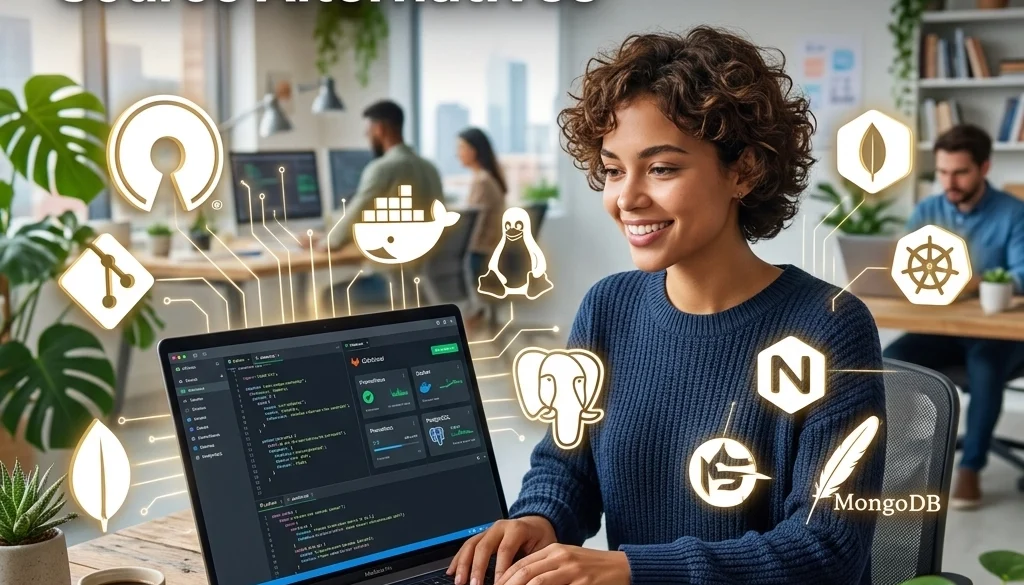
How to Build a SaaS-Free Business: The Ultimate Guide to Open Source Alternatives
Infrastructure Overview
The current business landscape is characterized by an accumulation of Software-as-a-Service (SaaS) subscriptions. Each individual tool represents a recurring operational expense and decentralized data storage. Transitioning to a SaaS-free model involves the deployment of open-source software on privately managed infrastructure.
A SaaS-free business relies on a Virtual Private Server (VPS) or a dedicated server environment. This architecture centralizes control and eliminates per-user licensing fees.
The Economic Impact of Subscription Models
Proprietary software companies utilize seat-based pricing. As a team grows, the cost scales linearly or exponentially. In contrast, self-hosting requires a fixed infrastructure cost. A single VPS can host multiple services simultaneously.
Comparative Cost Analysis
- Proprietary Stack: CRM ($50/user) + Project Management ($20/user) + Email Marketing ($100/mo) + Analytics ($50/mo).
- Self-Hosted Stack: VPS ($20–$80/mo) + Maintenance Time.
The primary investment shifts from capital expenditure to technical implementation. Businesses can utilize custom software to bridge the gap between disparate open-source tools.
Foundation: VPS Setup and Management
The migration begins with selecting a cloud provider. Common options include DigitalOcean, Linode, Hetzner, or AWS.
Server Selection Criteria
- RAM: 8GB minimum for basic service stacks; 32GB+ for resource-intensive applications.
- CPU: High clock speed for web applications.
- Storage: SSD or NVMe for database performance.
- Network: High bandwidth and low latency relative to the target audience.
OS and Environment
Ubuntu 22.04 or 24.04 LTS is the standard for server stability. Management is performed via SSH.

Core Infrastructure: Docker and Orchestration
Manual installation of software packages leads to dependency conflicts. Docker is the primary tool for isolation.
Containerization Benefits
- Portability: Services move between servers without reconfiguration.
- Isolation: Each application operates in a siloed environment.
- Efficiency: High utilization of server resources.
Docker Compose is utilized to define and run multi-container applications. A YAML file specifies the versions, volumes, and networking requirements for each service.
Open Source SaaS Alternatives: Category Breakdown
Identifying functional equivalents for proprietary tools is a prerequisite for a SaaS-free transition.
1. Customer Relationship Management (CRM)
Proprietary: Salesforce, HubSpot.
Open Source Alternative: SuiteCRM, EspoCRM, or Twenty.
These platforms provide lead tracking, sales pipelines, and workflow automation. They are deployed via Docker and connected to a centralized database.
2. Communication and Collaboration
Proprietary: Slack, Microsoft Teams.
Open Source Alternative: Mattermost, Rocket.Chat, or Matrix/Element.
These tools support end-to-end encryption and self-hosted data storage. Integration with existing LDAP or OIDC systems ensures secure user management.
3. Project Management
Proprietary: Asana, Monday.com, Jira.
Open Source Alternative: Taiga, Focalboard, or OpenProject.
Standard features include Kanban boards, Gantt charts, and sprint planning. For specialized needs, mobile and web apps can be developed to interface with these systems.
4. Marketing Automation and Email
Proprietary: Mailchimp, Klaviyo.
Open Source Alternative: Mautic or Listmonk.
Mautic handles complex lead scoring and automated email sequences. Listmonk provides high-performance newsletter management. Both require an SMTP relay or a self-hosted mail server like Mail-in-a-Box.
5. Web Analytics
Proprietary: Google Analytics.
Open Source Alternative: Matomo or Umami.
Matomo offers comprehensive data ownership and privacy compliance. Umami provides a lightweight, privacy-focused alternative with no cookie tracking required.

Self-Hosting Artificial Intelligence
The integration of AI into business workflows often involves API costs (OpenAI, Anthropic). A SaaS-free model necessitates hosting local Large Language Models (LLMs).
LLM Implementation
Organizations utilize tools like Ollama or LocalAI to serve models such as Llama 3 or Mistral. This approach ensures data privacy and eliminates per-token costs.
- Use Case: Document processing, internal knowledge bases, and customer support bots.
- Resource: For detailed implementation, refer to the self-hosting LLMs guide.

Security and Maintenance Protocols
Removing third-party SaaS providers transfers security responsibility to the internal team or a specialized partner.
Essential Security Measures
- Firewall Configuration: Utilizing
ufworiptablesto restrict access to specific ports. - SSH Hardening: Disabling password authentication; enforcing SSH key usage.
- Automated Backups: Utilizing Rclone or BorgBackup to store encrypted snapshots on off-site storage.
- Reverse Proxies: Traefik or Nginx Proxy Manager to handle SSL/TLS certificates via Let’s Encrypt.
Monitoring and Logging
Uptime monitoring and system health checks are managed through tools like Netdata or Prometheus/Grafana. These tools provide real-time metrics on CPU load, memory usage, and network traffic.
Deployment Strategy: The Road to Autonomy
A phased approach prevents operational disruption.
Phase 1: Audit
Identify every active SaaS subscription. Document usage frequency, critical features, and data export capabilities.
Phase 2: Pilot Migration
Deploy a non-critical service (e.g., internal analytics or a simple project board) on a VPS. Evaluate performance and reliability over a 30-day period.
Phase 3: Infrastructure Scaling
Establish a robust server environment. Implement Docker Swarm or Kubernetes if high availability is required across multiple nodes.
Phase 4: Full Migration
Transfer data from proprietary platforms to open-source alternatives. For complex data structures, custom software deployment services may be required to ensure data integrity.

Advantages of the SaaS-Free Model
- Data Sovereignty: Full control over sensitive customer and business information.
- Zero Licensing Fees: Fixed infrastructure costs regardless of headcount.
- Customizability: Source code access allows for deep modifications to fit specific business logic.
- Vendor Lock-in Elimination: Ability to move the entire stack to any hardware provider.
Challenges and Mitigation
Technical Expertise
Managing a VPS and open-source stack requires Linux administration skills. Organizations lacking internal expertise often partner with AI and custom software development firms to manage the initial setup and ongoing maintenance.
Maintenance Overhead
Self-hosted software requires regular updates. Automated CI/CD pipelines can streamline the update process, ensuring containers are always running the latest stable versions.
Reliability
Ensuring 99.9% uptime requires redundant power and networking. Utilizing top-tier cloud providers for VPS hosting mitigates hardware failure risks while maintaining software independence.
Conclusion of Implementation
Building a SaaS-free business is a strategic shift toward operational independence. By mastering VPS setup and management and selecting appropriate open-source SaaS alternatives, companies regain control over their technology stack and financial resources.
For organizations seeking to implement these systems, Marketrun provides specialized AI automations and deployment services to facilitate the transition. The shift away from subscriptions is a move toward a more sustainable and sovereign digital future.
Further information on technical implementation and cost comparisons between offshore and domestic development can be found in our resource library.


