
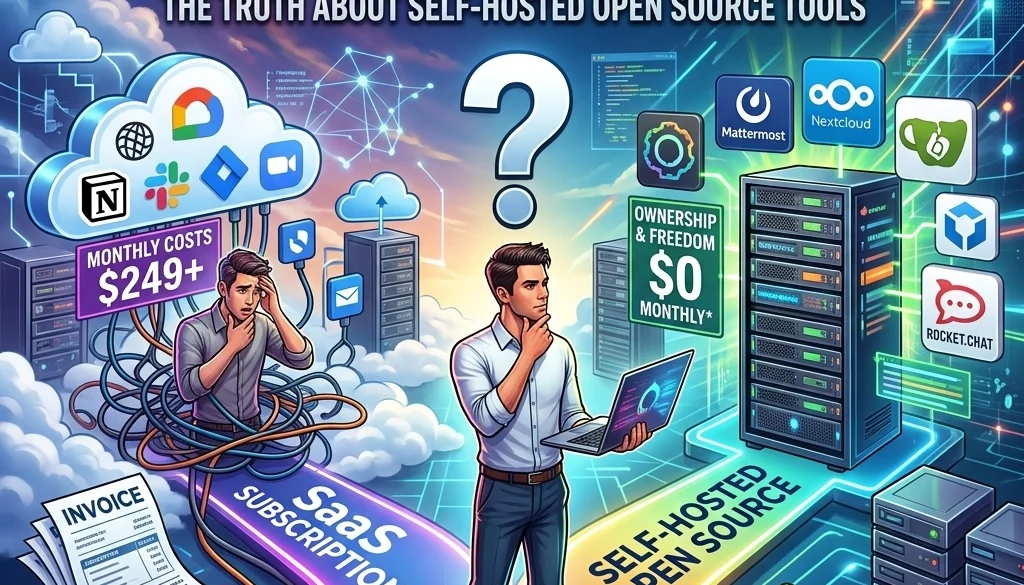
Do You Really Need SaaS Subscriptions? Here’s the Truth About Self-Hosted Open Source Tools
Current Software Procurement Status
The current software market relies on the Software-as-a-Service (SaaS) subscription model. Most enterprise and consumer tools utilize recurring billing cycles. This model prioritizes accessibility over ownership.
Data indicates a shift toward self-hosted open source tools. Organizations are evaluating the long-term cost of perpetual subscriptions against the initial investment of self-managed infrastructure. The objective of this evaluation is to identify the equilibrium between operational efficiency and data sovereignty.
Financial Analysis: Subscription vs. Self-Hosting
The fiscal impact of SaaS subscriptions is cumulative. Monthly fees scale with user count and feature requirements.
SaaS Financial Characteristics
- Initial Cost: Low.
- Recurring Cost: High, perpetual.
- Scaling Impact: Linear or exponential cost increase based on seats or API calls.
- Asset Value: Zero. Subscriptions represent an expense, not a capital asset.
Self-Hosted Financial Characteristics
- Initial Cost: High (Setup, configuration, hardware/cloud instance).
- Recurring Cost: Low (Maintenance, hosting, electricity).
- Scaling Impact: Marginal cost increase. Additional users do not incur incremental licensing fees.
- Asset Value: The system remains a functional asset independent of a vendor’s financial status.
Detailed analysis of ROI for these transitions is available via the AI automation ROI calculator.

Data Sovereignty and Security Compliance
The relocation of data from third-party servers to private infrastructure impacts security protocols and regulatory compliance.
Data Ownership Factors
- Location: Data resides on controlled hardware or private cloud instances.
- Access Control: System administrators define all access levels without vendor interference.
- Regulation: Compliance with GDPR, HIPAA, or local data laws (such as those relevant to India clients or US clients) is managed internally.
- Encryption: End-to-end encryption is configured and managed by the owner.
Analysis of Key Self-Hosted Tools
Three specific tools represent the primary categories of modern business infrastructure: Workflow Automation, Backend Management, and Artificial Intelligence.
1. n8n (Workflow Automation)
n8n is a node-based workflow automation tool. It serves as an alternative to proprietary platforms like Zapier or Make.
- Deployment: Can be hosted on Docker, PM2, or cloud providers.
- Capabilities: Connectivity with 400+ integrations.
- Licensing: Fair-code license allowing for self-hosting in most business environments.
- Service Requirement: Organizations often utilize n8n deployment services to ensure uptime and correct node configuration.
2. Supabase (Backend and Database)
Supabase is an open-source alternative to Firebase. It provides a suite of tools for application development.
- Database: PostgreSQL.
- Authentication: Built-in user management.
- Storage: File storage capabilities.
- Edge Functions: Serverless logic execution.
- Integration: Compatible with custom software architectures.
3. Ollama (Local LLM Execution)
Ollama facilitates the local execution of Large Language Models (LLMs). This mitigates the costs associated with OpenAI or Anthropic API calls.
- Privacy: Model inference occurs on local hardware. No data is transmitted to external servers.
- Latency: Reduced network latency for internal applications.
- Model Selection: Support for Llama 3, Mistral, and other open-source weights.
- Technical Guide: Implementation details are found in the self-hosting LLMs 2026 guide.

Elimination of Vendor Lock-in
Vendor lock-in occurs when the cost or technical difficulty of switching to a different provider is prohibitive.
Characteristics of Proprietary Lock-in
- Data Silos: Exporting data is difficult or limited.
- Proprietary Logic: Workflow logic is tied to a specific platform's interface.
- Pricing Volatility: Vendors may increase subscription costs without notice.
- Feature Deprecation: Essential tools may be removed by the vendor.
Benefits of Portability in Open Source
- Standardized Formats: Use of JSON, SQL, and standard code languages.
- Host Agnosticism: Systems can move between AWS, Google Cloud, Azure, or on-premise servers.
- Code Transparency: The logic is inspectable and modifiable.
- Continuity: The software remains functional even if the original developer ceases operations.
Technical Infrastructure Requirements
Transitioning to self-hosted open source tools requires specific technical components.
1. Compute Resources
- CPU: Multi-core processors for handling concurrent requests.
- RAM: Minimum 8GB for basic stacks; 32GB+ for LLM execution via Ollama.
- GPU: Required for efficient AI model inference.
2. Containerization and Orchestration
- Docker: Standardization of application environments.
- Kubernetes: Management of container clusters for high-availability requirements.
- Docker Compose: Simplified management for smaller deployments.
3. Network and Security
- Reverse Proxy: Nginx or Traefik for handling incoming traffic.
- SSL/TLS: Encryption via Let's Encrypt.
- VPN/VPC: Isolation of services from the public internet.

Comparative Matrix: SaaS vs. Self-Hosted
| Feature | SaaS Model | Self-Hosted Open Source |
|---|---|---|
| Control | Limited by Provider | Absolute |
| Updates | Automatic | User-controlled |
| Privacy | Third-party access possible | Private |
| Customization | Within API limits | Full source code access |
| Upfront Effort | Minimal | Significant |
| Long-term Cost | High (perpetual) | Low (infrastructure only) |
Deployment Strategies
Implementation follows a structured protocol to ensure system stability.
Phase 1: Audit and Selection
- Inventory of current SaaS tools.
- Identification of open-source equivalents (e.g., n8n for Zapier, Supabase for Firebase).
- Feasibility study of AI and custom software development needs.
Phase 2: Environment Setup
- Provisioning of cloud or local hardware.
- Configuration of network security and firewalls.
- Installation of container engines.
Phase 3: Migration and Testing
- Data extraction from SaaS providers.
- Transformation of data to compatible formats.
- Loading data into the self-hosted instance.
- Verification of logic and workflow integrity.
Phase 4: Maintenance and Monitoring
- Establishment of backup schedules.
- Security patching protocols.
- Performance monitoring.

Risk Assessment
The absence of a vendor support desk necessitates internal or contracted expertise.
- Operational Risk: System downtime is the responsibility of the host.
- Technical Debt: Poorly documented local configurations create future maintenance issues.
- Security Responsibility: The owner must manage all patches and vulnerabilities.
For organizations without internal dev-ops teams, open-source deployment services bridge the gap between SaaS convenience and open-source control.
Conclusion of System Status
The transition from SaaS to self-hosted open source tools is a strategic movement toward software ownership. While SaaS provides rapid deployment, self-hosted tools like n8n, Supabase, and Ollama offer superior data control and long-term financial efficiency. The elimination of vendor lock-in ensures operational continuity and infrastructure portability. Organizations must weigh the responsibility of maintenance against the benefits of sovereignty.


