
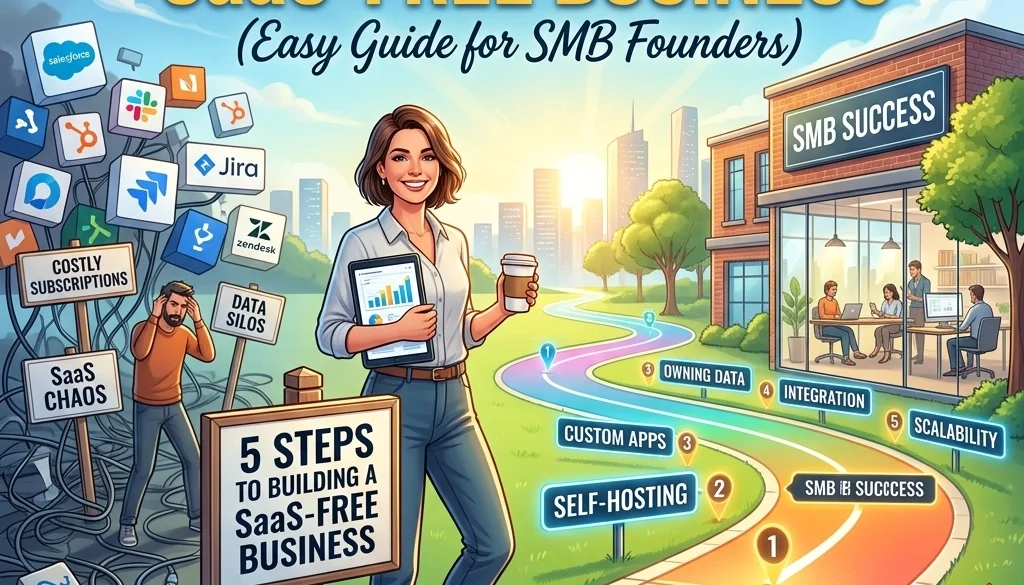
5 Steps to Building a SaaS-Free Business (Easy Guide for SMB Founders)
Status Overview: Subscription-Based Dependency
Enterprise operational costs are frequently inflated by Software-as-a-Service (SaaS) recurring fees. Small and Medium Businesses (SMBs) often allocate significant capital to platforms for communication, project management, and customer relationship management. The transition to a SaaS-free model involves the adoption of self-hosted infrastructure. This process minimizes external dependencies and reduces long-term operational expenditures.
Step 1: Identification and Audit of Current SaaS Stack
The initial phase requires a comprehensive audit of all active subscriptions. Documentation of every tool used within the organization is mandatory.
Data Collection Requirements:
- Service Name: Identification of the current provider.
- Monthly/Annual Cost: Precise financial expenditure per unit.
- Seat Count: Number of licensed users.
- Core Functionality: Specific tasks performed by the software.
- Data Volume: Amount of information stored within the third-party database.
Efficiency is measured by the ratio of cost to utility. Tools with high cost and low utilization are prioritized for elimination. Systems involving sensitive data are also identified for migration to increase security. Information regarding custom development for specialized needs can be located at https://marketrun.io/solutions/custom-software.
Step 2: Selection of Open Source SaaS Alternatives
The second phase involves mapping identified SaaS tools to open source saas alternatives. Open-source software provides the source code for modification and self-hosting.
Comparative Mapping:
- Communication: Replace Slack or Microsoft Teams with Mattermost or Rocket.Chat. These platforms provide persistent chat, file sharing, and integration capabilities without per-user licensing fees.
- Customer Relationship Management (CRM): Replace Salesforce or HubSpot with Odoo or SuiteCRM. These systems manage lead tracking, sales pipelines, and customer history.
- Project Management: Replace Asana or Trello with Focalboard, Planka, or Taiga. These tools utilize Kanban boards and sprint planning features.
- Marketing Automation: Replace Mailchimp with Mautic or Listmonk for email campaign management and subscriber segmentation.
- File Storage: Replace Google Drive or Dropbox with Nextcloud. This provides document synchronization and collaborative editing.

The selection process must prioritize software with active developer communities and regular security updates. Deployment services for these applications are facilitated through https://marketrun.io/solutions/open-source-deployment.
Step 3: Infrastructure Procurement and VPS Setup and Management
A SaaS-free business requires private infrastructure. A Virtual Private Server (VPS) serves as the host for all selected applications.
Provider Selection Parameters:
- Compute Power: CPU cores and RAM allocation must meet the minimum requirements of the hosted software.
- Storage Type: NVMe or SSD storage is preferred for database performance.
- Bandwidth: Monthly data transfer limits must accommodate internal and external traffic.
- Region: Server location affects latency. Selection should align with the primary geographic location of the workforce.
VPS Setup and Management Protocols:
- Operating System Installation: Clean installation of a Linux distribution (Ubuntu LTS or Debian).
- Access Control: Disabling password authentication in favor of SSH key-based access.
- Firewall Configuration: Utilization of UFW (Uncomplicated Firewall) to restrict traffic to necessary ports (80, 443, 22).
- Resource Allocation: Segregation of applications to prevent a single service from consuming total system resources.
For organizations operating in specific regions, infrastructure can be localized via https://marketrun.io/for-us-clients or https://marketrun.io/for-india-clients.

Step 4: Deployment and Technical Configuration
Deployment involves the installation and configuration of the selected software on the VPS. Containerization is the standard method for self-hosting.
Containerization Procedures:
The use of Docker and Docker Compose allows for isolated environments. Each application runs in a container with its own dependencies, preventing system conflicts.
- Docker Images: Acquisition of official images from verified repositories.
- Persistent Volumes: Mapping container data to the host machine to ensure data retention during container updates.
- Network Bridging: Creation of internal networks for communication between applications and their respective databases.
Security and Networking:
- Reverse Proxy: Installation of Nginx or Traefik to manage incoming traffic and route it to the correct container.
- SSL/TLS Encryption: Automatic issuance and renewal of certificates via Let’s Encrypt. All data in transit must be encrypted.
- Database Hardening: Ensuring databases are not accessible from the public internet.
Advanced configurations for mobile or web accessibility are documented at https://marketrun.io/solutions/mobile-web-apps.

Step 5: Lifecycle Management and Monitoring
Maintenance is required to ensure system uptime and data integrity. A SaaS-free business assumes responsibility for the operational health of its tools.
Maintenance Tasks:
- Automated Backups: Implementation of the 3-2-1 backup strategy. Three copies of data, two different media types, one off-site location.
- Security Patching: Regular execution of package manager updates and Docker image refreshes.
- Uptime Monitoring: Integration of tools like Uptime Kuma to provide notifications if a service fails.
- Log Management: Periodic review of system logs to identify unauthorized access attempts or software errors.
For businesses integrating complex technologies, self-hosting large language models is a parallel strategy detailed at https://marketrun.io/blog/self-hosting-llms-2026-guide.

Financial Impact Analysis
The transition from SaaS to self-hosted infrastructure results in a shift from Operational Expenditure (OpEx) to a fixed infrastructure cost.
| Category | SaaS Monthly Cost (Estimated) | Self-Hosted Monthly Cost (Estimated) |
|---|---|---|
| CRM | $150 | $0 (Included in VPS) |
| Communication | $100 | $0 (Included in VPS) |
| Project Management | $80 | $0 (Included in VPS) |
| Email Marketing | $50 | $0 (Included in VPS) |
| VPS Infrastructure | $0 | $40 – $80 |
| Total | $380 | $40 – $80 |
The reduction in monthly expenditure is approximately 80-90%. These savings are scalable as the number of users increases, as open-source software does not typically impose per-user fees.
Implementation Checklist for Founders
- Complete SaaS audit.
- Match tools to open source alternatives.
- Provision VPS with adequate resources.
- Deploy containers using Docker Compose.
- Configure SSL and Reverse Proxy.
- Establish automated off-site backups.
- Decommission paid SaaS subscriptions.
Business processes involving advanced automation and AI can be optimized following the migration. Information regarding AI-driven operational efficiency is accessible at https://marketrun.io/solutions/ai-automations.
Conclusion of Process
The transition to a SaaS-free business model is a technical objective that secures data sovereignty and financial efficiency. By following these five steps, SMB founders eliminate recurring licensing fees and gain total control over their software stack. Maintenance requirements are offset by the significant reduction in monthly overhead. System status is now independent of third-party pricing changes or service terminations.


