
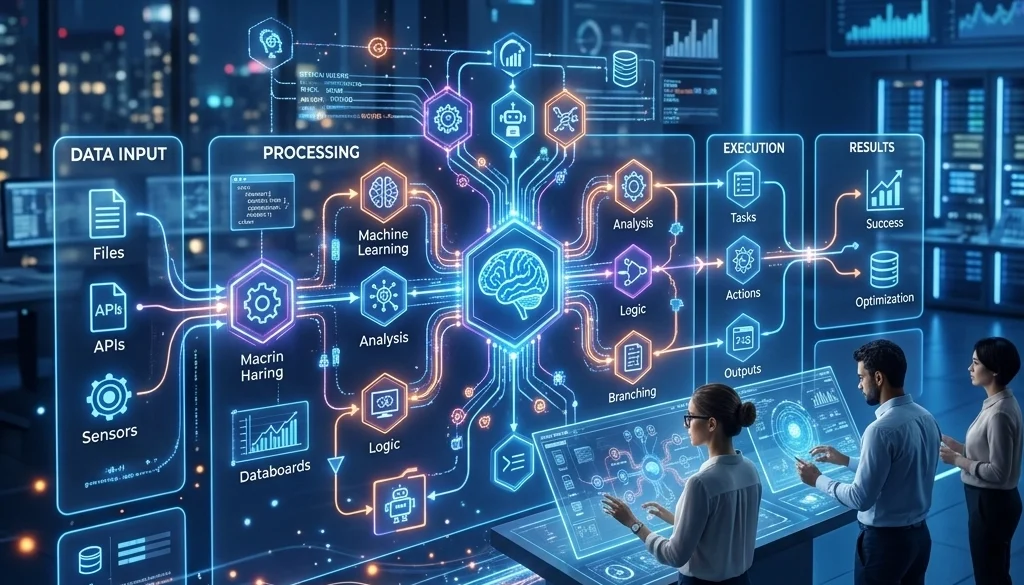
The Ultimate Guide to AI Automation Workflows: Everything You Need to Succeed
Definition of AI Automation Workflows
AI automation workflows are sequences of tasks that utilize machine learning and large language models to execute business processes. These workflows differ from traditional Business Process Automation (BPA). Traditional automation follows rigid, predefined rules. AI automation incorporates interpretation and decision-making capabilities. This enables the processing of unstructured data, such as emails, PDF documents, and audio files.
The primary objective of these systems is to automate business operations with ai. By integrating intelligence into the workflow, systems can categorize information, predict outcomes, and generate content without manual intervention.
Comparison: Traditional Automation vs. AI Workflows
Traditional Automation (BPA)
- Logic: If-This-Then-That (IFTTT).
- Data Type: Structured data only (spreadsheets, databases).
- Flexibility: Zero. Any deviation in input results in system failure.
- Function: Data entry, scheduled backups, simple routing.
AI Automation Workflows
- Logic: Probabilistic reasoning and semantic understanding.
- Data Type: Unstructured and semi-structured data (natural language, images).
- Flexibility: High. The system adapts to variations in input format and context.
- Function: Sentiment analysis, document summarization, complex decision routing.

Technical Architecture of AI Automation
A functional ai automation workflow follows a modular architecture. Each module performs a specific transformation on the data.
1. The Trigger Mechanism
Workflows initiate based on specific events. Common triggers include:
- HTTP Webhooks: Real-time signals from third-party applications.
- Polling: Periodic checks of databases or email inboxes.
- Scheduled Events: Cron jobs executed at specific intervals.
2. Preprocessing and Data Cleaning
Input data is rarely optimized for machine learning models. Preprocessing involves:
- OCR (Optical Character Recognition): Converting scanned images into text.
- Tokenization: Breaking text into manageable units.
- Filtering: Removing metadata or irrelevant noise from the payload.
3. The Inference Layer (LLM)
This stage involves the primary AI model. The model receives a prompt containing the cleaned data and instructions. The model performs tasks such as extraction, classification, or transformation. For organizations with high security requirements, self-hosting LLMs ensures data does not leave the internal infrastructure.

4. Tool Calls and API Integration
AI models can be configured to interact with external systems. This is achieved through function calling. The model identifies the need for external data and generates a structured request (JSON) to an API. This allows the workflow to connect disparate systems, such as a CRM and a financial accounting tool.
5. Post-processing and Validation
The output from an AI model requires verification. Post-processing steps include:
- Schema Validation: Ensuring the output matches the required JSON format.
- Fact-Checking: Verifying generated data against a source of truth.
- Formatting: Converting text into the final required medium (PDF, HTML, Email).
Connecting Disparate Systems to Automate Business Operations
Business operations often reside in isolated silos. Effective ai automation workflows act as a bridge between these systems.
Integration Methods
- REST APIs: The standard protocol for application communication.
- Middleware Platforms: Tools that facilitate data movement between applications without custom code.
- Custom Custom Software: Development of bespoke connectors for legacy systems that lack modern APIs. Marketrun specializes in custom software development to facilitate these connections.
Synchronization Logic
To maintain data integrity across systems, workflows must handle state management. If a workflow updates a customer record in one system but fails to update the billing system, data inconsistency occurs. Implementation of "Retry Logic" and "Atomic Transactions" is required to prevent these errors.

Workflows vs. AI Agents: Determining the Strategy
A critical design decision is the choice between deterministic workflows and autonomous agents.
Deterministic Workflows
These are used when the process path is known and must be strictly followed. Every step is mapped. If a deviation occurs, the process stops for human review. This is ideal for compliance-heavy industries like legal or finance.
Autonomous AI Agents
Agents are used when the path to a goal is dynamic. The agent is given a objective and a set of tools. It decides which tools to use and in what order. This is effective for research tasks or complex customer support queries. However, agents require strict guardrails to prevent infinite loops or unauthorized actions.
Advanced Automation Tips for Scalability
Prompt Engineering and Versioning
Prompts are the code of AI workflows. They must be versioned and tested. Small changes in a prompt can lead to significant changes in output. Using a prompt management system allows for A/B testing of different logic structures.
Human-in-the-Loop (HITL)
Complete autonomy is not always desirable. HITL inserts a manual approval step for high-stakes decisions. The AI prepares the work, and a human operator clicks "Approve" or "Reject." This maintains accountability while still reducing the total time spent on the task.
Monitoring and Observability
Automated systems require constant monitoring. Key metrics include:
- Latency: The time taken for a workflow to complete.
- Token Usage: The cost associated with each run.
- Success Rate: The percentage of runs that meet validation criteria.
- Error Logs: Detailed reports on where a workflow failed (e.g., API timeout or LLM hallucination).

Common Use Cases for AI Business Automation
1. Automated Document Processing
Businesses receive thousands of invoices, contracts, and receipts. AI workflows extract the vendor name, total amount, and due date. This data is then automatically pushed to accounting software.
2. Intelligent Lead Routing
Inbound sales queries are analyzed for intent and budget. High-value leads are routed to senior account executives, while informational queries receive an automated response with relevant documentation.
3. Content Localization and Distribution
A single blog post can be automatically translated, summarized for social media, and formatted for different platforms (LinkedIn, Twitter, Email) using a single AI-driven workflow. This is often integrated with AI website creation tools for seamless publishing.
4. Technical Support Triage
Support tickets are categorized by urgency and technical complexity. AI can resolve simple issues by providing links to documentation or escalate complex bugs to the engineering team with a summarized report of the problem.
Implementing AI Workflows: A Step-by-Step Framework
- Process Identification: Select a high-volume, repetitive task that involves unstructured data.
- Mapping: Document the current manual steps. Identify where decisions are made.
- Tool Selection: Choose the LLM and the integration platform. For high-performance needs, consider AI development services.
- Prototype Development: Build a "Minimum Viable Workflow." Test with a small subset of data.
- Refinement: Adjust prompts and validation logic based on prototype performance. Use an AI automation ROI calculator to measure potential savings.
- Full Deployment: Roll out the workflow to the production environment.
- Ongoing Maintenance: Monitor logs and update the AI models as new versions become available.

Security and Compliance Considerations
When you automate business operations with ai, data privacy is paramount. Many cloud-based AI providers use input data to train future models unless specifically opted out. For businesses handling sensitive client data, especially in regulated markets, using open source deployment on private servers is a standard mitigation strategy.
Data residency requirements (such as GDPR or local Indian/US regulations) must be considered. Marketrun provides specialized solutions for both US and India-based clients to ensure regional compliance.
Summary of System Benefits
The implementation of AI automation workflows results in:
- Operational Efficiency: Reduction in man-hours spent on data extraction and routing.
- Accuracy: Elimination of human transcription errors.
- Scalability: The ability to handle 10x the workload without increasing headcount.
- Speed: Instant processing of incoming data streams.
For organizations seeking to integrate these technologies, exploring comprehensive AI solutions provides a pathway to modernized operations. Detailed guides on specific implementation strategies, such as self-hosting for 2026, offer further technical depth for infrastructure planning.


