
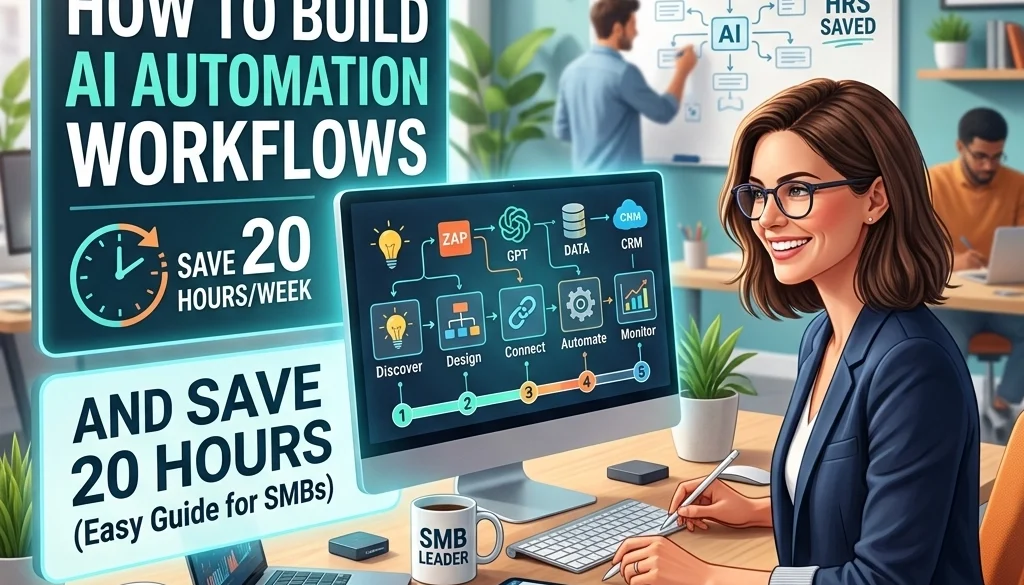
5 Steps How to Build AI Automation Workflows and Save 20 Hours (Easy Guide for SMBs)
Operational efficiency in Small and Medium Businesses (SMBs) is frequently obstructed by repetitive manual tasks. The implementation of AI automation workflows provides a structured method to recover approximately 10 to 20 hours of labor per week. This objective guide outlines the technical and procedural requirements for deploying these systems using modern tools like n8n and AI agents.
The Architecture of Modern Automation
AI automation workflows differ from traditional automation through the integration of Large Language Models (LLMs) and autonomous agents. Traditional automation follows linear "if-this-then-that" logic. AI-enhanced workflows utilize reasoning capabilities to process unstructured data, such as emails, voice notes, and complex documents.

Defining AI Agents for Business
AI agents for business act as autonomous units within a workflow. These agents are configured to perform specific roles: such as lead qualification, sentiment analysis, or data extraction: without constant human intervention. When integrated into an orchestration platform like n8n, these agents interact with existing software stacks to execute end-to-end business processes.
Step 1: Identification of High-Impact Tasks
The initial phase requires a comprehensive audit of current business functions. Efficiency gains are highest in processes that are manual, frequent, and rule-based.
Task Matrix Analysis
Processes are categorized based on two variables:
- Complexity: The number of decision points and the variety of potential inputs.
- Impact: The total volume of hours consumed and the cost of human error.
Priority is assigned to tasks with low complexity and high impact. Examples include:
- Initial customer inquiry sorting and routing.
- Invoice data extraction and entry into accounting software.
- Social media content scheduling based on trend analysis.
- Internal reporting and data aggregation.
For a deeper look into how specific tasks can be automated, visit Marketrun’s AI Automations solutions.
Step 2: Process Documentation and Data Baselining
Automation requires a precise roadmap of the "as-is" state. A workflow cannot be effectively automated if it is not first documented in its manual form.
Documentation Requirements
- Step-by-Step Sequence: Every discrete action taken by a human operator is listed.
- Decision Nodes: Points where a choice is made (e.g., "If the invoice is over $500, send to the manager").
- Data Inputs: The source and format of information (PDFs, spreadsheets, CRM entries).
- Time Metrics: The average duration required for manual completion per unit.
Data Preparation
Data is gathered to serve as a baseline for the AI. This includes a representative sample of past inputs and the desired outputs. Personally identifiable information (PII) is removed or masked during this stage to ensure security.

Step 3: Tool Selection and Workflow Configuration
The selection of a tech stack is critical for scalability and cost-efficiency. For most SMBs, a combination of an orchestrator and specific AI models is recommended.
Utilizing n8n for Orchestration
n8n is an extensible workflow automation tool that allows for the connection of various applications. It supports self-hosting, which is essential for businesses concerned with data sovereignty. Details on self-hosting can be found in the Self-Hosting LLMs Guide.
Deploying AI Agents
Within the n8n environment, nodes are configured to call AI models (such as GPT-4o or Claude 3.5). These nodes are programmed with specific system prompts to define their behavior. For example, an agent might be instructed to "Extract the total amount, tax ID, and due date from the attached PDF invoice and format it as a JSON object."
Integration with Custom Software
Standard tools often require connections to bespoke internal systems. Custom software development ensures that the AI automation workflows can read from and write to proprietary databases or legacy applications.
Step 4: Implementation of the Parallel Pilot
A pilot program is executed to validate the accuracy and reliability of the AI automation workflows.
The Parallel Run Protocol
The AI system and the human operator process the same set of tasks simultaneously for a period of 2 to 4 weeks. This allows for:
- Accuracy Verification: Comparing AI output against human-verified results.
- Exception Handling: Identifying scenarios where the AI fails or produces "hallucinations."
- Refinement: Adjusting the "temperature" of the AI model or the specificity of the prompts based on real-world performance.

Trigger Configuration
Workflows are set to activate based on specific events. Common triggers include:
- Receipt of an email with a specific subject line.
- A new entry in a Google Sheet or Airtable.
- A status change in a CRM like Salesforce or HubSpot.
- A scheduled time interval (e.g., every Monday at 9:00 AM).
Step 5: Performance Measurement and Scaling
Post-pilot, the results are quantified to determine the Return on Investment (ROI).
Success Metrics
- Time Saved: (Manual time per task – Automated time per task) x Number of tasks.
- Error Rate: The percentage of automated tasks requiring manual correction.
- Cost Efficiency: The reduction in operational expenditure compared to the cost of AI API calls and infrastructure.
Tools such as the AI Automation ROI Calculator are utilized to generate these reports.
The Scaling Strategy
Once the initial workflow is stabilized, automation is expanded using a concentric circle model:
- Scope Expansion: Adding more features to the existing workflow.
- Adjacent Scaling: Applying the same logic to similar processes in other departments (e.g., moving from Finance to HR).
- Global Integration: Connecting multiple workflows to create a fully autonomous operational ecosystem.

Technical Considerations for SMBs
Building AI automation workflows involves technical nuances regarding security and hosting. Many SMBs opt for open source deployment to maintain control over their data and reduce recurring SaaS subscription fees.
AI Agents for Business: Practical Use Cases
- Customer Support: AI agents handle Tier 1 inquiries, only escalating complex issues to human agents.
- Lead Generation: Automated agents scan LinkedIn or web directories to identify prospects based on predefined criteria.
- Content Generation: Workflows generate SEO-optimized blog drafts based on internal data and current trends. See AI Website and SEO for more.

Workflow Maintenance and Monitoring
AI systems are not "set and forget." They require ongoing monitoring to ensure consistent performance.
Runbooks and Failure Protocols
A technical runbook is developed for every deployed workflow. This document outlines:
- The logic of the automation.
- API keys and credentials used.
- Procedures for handling API outages or model updates.
- Manual override instructions.
Quarterly Reviews
Business requirements change. Every quarter, the workflows are reviewed to ensure they still align with the current operational goals of the SMB. This includes updating the underlying AI models to the latest versions to take advantage of increased speed and reduced costs.
For businesses looking to implement these steps with professional assistance, Marketrun offers AI development services tailored to both US-based and India-based clients, ensuring a cost-effective approach to digital transformation.
Summary of Time Allocation Recovery
The implementation of these five steps results in the systematic removal of "drudge work." By delegating high-frequency, low-variance tasks to AI agents for business, management teams can redirect human capital toward strategic initiatives, client relationship management, and creative problem-solving. The 20 hours saved weekly represents a 50% increase in available time for a standard full-time employee, providing a significant competitive advantage in the SMB market.


