
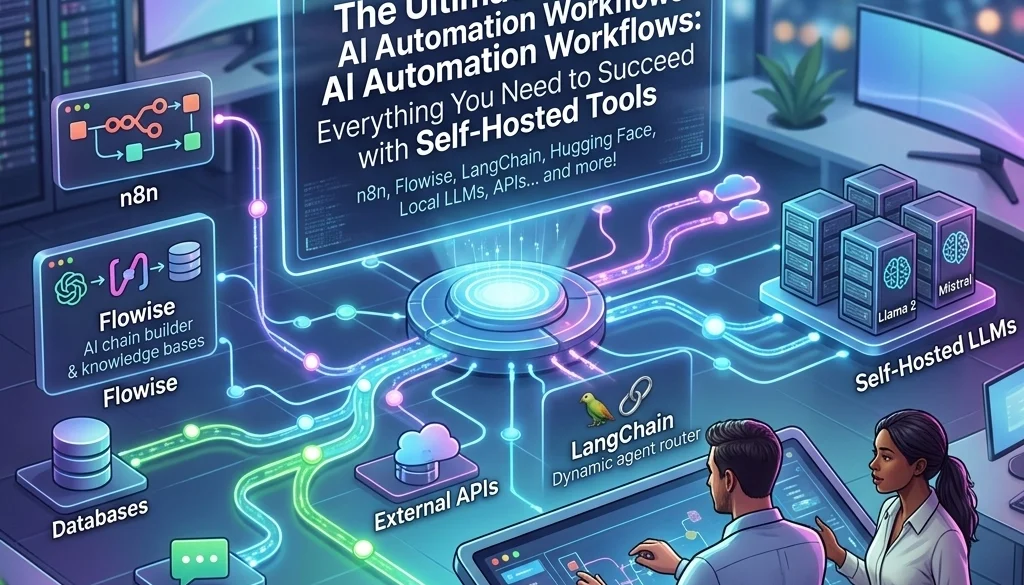
The Ultimate Guide to AI Automation Workflows: Everything You Need to Succeed with Self-Hosted Tools
1. System Architecture Overview
The implementation of ai automation workflows requires a robust, decentralized architecture. Unlike cloud-dependent systems, self-hosted solutions prioritize data sovereignty and operational continuity. The architecture is composed of a containerized environment where specialized services interact through standardized protocols.
Primary layers of the self-hosted stack include:
- Infrastructure Layer: Physical or virtualized hardware providing compute resources.
- Orchestration Layer: Management of service lifecycles via Docker and Portainer.
- Model Layer: Execution of Large Language Models (LLMs) locally.
- Logic Layer: Visual workflow construction and API management.
- Access Layer: Secure gateway and traffic routing.
Deployment of these layers ensures that businesses can automate business operations with ai without exposing sensitive intellectual property to third-party providers. Comprehensive details on these deployments are available through Marketrun AI Automations.
2. Infrastructure Requirements
Success in self-hosting is predicated on hardware capacity. AI workloads are computationally intensive, specifically regarding memory bandwidth and parallel processing.
Hardware Specifications
- Processor (CPU): Multi-core x86-64 architecture is required. Modern AVX2 support is necessary for efficient model quantization.
- Memory (RAM): A minimum of 16GB is required for basic operations. 32GB or 64GB is recommended for concurrent model execution.
- Graphics (GPU): NVIDIA hardware with CUDA support is the industry standard. 12GB+ of VRAM allows for local inference of 7B to 14B parameter models with minimal latency.
- Storage: NVMe SSDs are required to minimize model load times and database I/O overhead.

3. Core Software Components
The transition from manual tasks to automated systems is facilitated by a specific software stack. Each component serves a distinct functional purpose within the ecosystem.
Docker and Portainer
Containerization isolates services, preventing dependency conflicts. Portainer provides a graphical interface for managing these containers, allowing for rapid deployment and status monitoring.
Ollama
Ollama serves as the local inference engine. It simplifies the management of open-source models like Llama 3, Mistral, and Phi-3. It exposes a local API that other workflow tools use to generate text, summarize documents, or classify data. For deeper technical insights, refer to the guide on self-hosting LLMs.
n8n
n8n is the primary orchestration tool. It utilizes a node-based interface to connect disparate systems. It supports over 400 integrations and allows for custom JavaScript execution. This is the engine used to build complex ai automation workflows.
4. Advanced Automation Tips: Connecting Disparate Systems
To automate business operations with ai effectively, the logic layer must bridge gaps between legacy software and modern AI tools.
Webhook Implementation
Webhooks act as event listeners. When an action occurs in a CRM or an e-commerce platform, a JSON payload is transmitted to the automation server.
- Trigger: New lead in CRM.
- Action: n8n receives the payload.
- AI Processing: Ollama analyzes the lead data to determine intent.
- Response: Automated personalized email generation or internal notification.
API Polling
For systems lacking webhook support, polling is utilized. The automation engine requests data at set intervals (e.g., every 5 minutes). This ensures that data from disparate systems is synchronized without manual intervention.
Data Transformation
Raw data from one system rarely matches the input requirements of another. Using "Function Nodes" in n8n allows for the normalization of data strings, date formats, and array structures before they reach the AI model.

5. Strategic Deployment for Business Operations
Automation is most effective when applied to repetitive, high-volume tasks. The following domains represent primary candidates for AI integration.
Customer Support Triage
AI workflows can categorize incoming tickets based on sentiment and urgency.
- Ticket received via email or chat.
- AI model extracts key entities (Product Name, Issue Type).
- System assigns priority based on predefined business logic.
- Draft response is generated for human review.
Document Processing
Manual data entry from invoices or contracts is replaced by automated Optical Character Recognition (OCR) and LLM extraction.
- Input: PDF upload to a local folder.
- Processing: AI identifies line items, tax amounts, and due dates.
- Output: Structured data is pushed to accounting software.
Businesses seeking custom implementations can explore Marketrun Custom Software Solutions.
6. Data Privacy and Security
Self-hosting is a security-first approach. By maintaining all data within a private network, the risks associated with data breaches at third-party AI companies are eliminated.
Local Inference
When using ai automation workflows that are self-hosted, the text data never leaves the local server. This is critical for industries with strict regulatory requirements, such as legal, healthcare, and finance.
Nginx Proxy Manager
To access these tools remotely without compromising security, Nginx Proxy Manager provides:
- SSL termination (Let’s Encrypt).
- Access Control Lists (IP whitelisting).
- Reverse proxying to hide internal IP addresses.
Encryption at Rest
Ensuring that databases containing automation logs and API keys are encrypted prevents unauthorized access in the event of physical hardware compromise.

7. Cost Analysis and ROI
The transition from SaaS-based automation to self-hosted infrastructure involves a shift from OpEx (Operational Expenditure) to CapEx (Capital Expenditure).
| Metric | Cloud-Based AI | Self-Hosted AI |
|---|---|---|
| Monthly Cost | Variable (Per Token/Task) | Fixed (Power/Maintenance) |
| Privacy | Shared/Third-party | Absolute/Private |
| Rate Limits | Provider-dependent | Hardware-limited |
| Customization | Restricted | Full control |
The AI Automation ROI Calculator provides data points for calculating the breakeven point of hardware investment versus subscription fees. Generally, high-volume operations achieve ROI within 6 to 12 months.
8. Implementation Checklist
To successfully automate business operations with ai, the following steps must be completed:
- Hardware Audit: Verify CPU/GPU/RAM compatibility.
- Environment Setup: Install Linux (Ubuntu recommended) and Docker.
- Service Deployment: Launch Ollama, n8n, and Postgres via Docker Compose.
- Model Selection: Download appropriate models for specific tasks (e.g., Llama 3 for reasoning, Mistral for speed).
- Workflow Logic: Define triggers, filters, and actions within n8n.
- Testing: Execute dry runs with sample data to ensure error handling is functional.
- Production: Connect live APIs and monitor resource utilization.
For organizations requiring professional oversight during this process, Marketrun's AI Development team provides end-to-end support.
9. Conclusion
Self-hosted ai automation workflows represent the highest tier of business efficiency and data security. By leveraging tools like n8n and Ollama, organizations can build private, scalable systems that automate business operations with ai without recurring subscription costs or privacy risks. The technical barrier to entry is mitigated by standardized containerization and mature open-source model ecosystems.

Operational status: Optimized. System ready for deployment. Further resources and guides can be found at the Marketrun Blog.


