
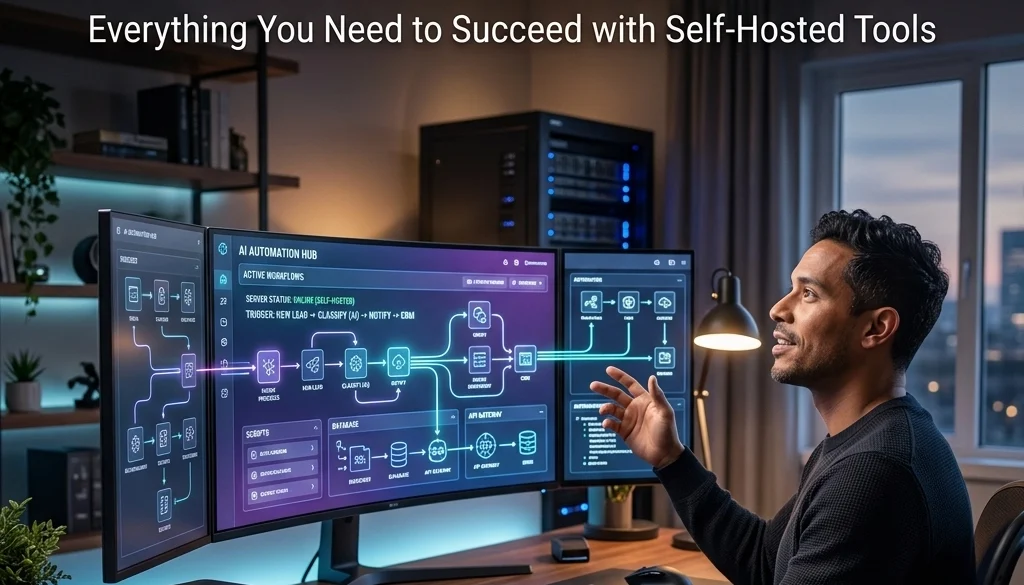
The Ultimate Guide to AI Automation Workflows: Everything You Need to Succeed with Self-Hosted Tools
Status of AI Automation in 2026
Artificial Intelligence (AI) automation workflows are defined as sequences of tasks where decision-making logic is executed by machine learning models. In 2026, the transition from cloud-dependent services to self-hosted infrastructure is a primary trend for enterprise operations. This shift is driven by the requirements for data privacy, reduced latency, and cost control. To automate business operations with ai, organizations utilize local LLMs and orchestration engines to maintain control over proprietary data.
Core Components of AI Automation Workflows
An automated system consists of specific architectural layers. Each layer must be functional for the workflow to achieve its objective.
1. Trigger Mechanisms
Triggers are events that initiate a workflow.
- Poll-based triggers: Periodic checks of a database or API.
- Webhook triggers: Immediate execution upon receiving an external HTTP request.
- Schedule triggers: Execution at fixed time intervals (cron jobs).
2. Integration Layer
The integration layer facilitates communication between disparate software systems. Standardized protocols include:
- REST APIs
- GraphQL
- Webhooks
- Database listeners (SQL/NoSQL)
3. Logic and AI Models
This component processes data. Self-hosting allows for the deployment of specific models tailored to the task:
- Natural Language Processing (NLP): For sentiment analysis and document classification.
- Large Language Models (LLMs): For content generation and complex reasoning.
- Computer Vision: For image processing and OCR tasks.

Advanced Tips for Connecting Disparate Systems
To automate business operations with ai across multiple platforms, structural compatibility is required. Advanced automation tips focus on data normalization and error handling.
Data Normalization Protocols
When connecting a CRM like Salesforce to a local communication tool, data formats often differ.
- Implement a transformation step using JSON or XML.
- Use mapping tables to ensure field consistency across systems.
- Validate data types before AI processing to prevent model hallucinations.
State Management
Workflows involving multiple steps require state management.
- Store intermediate data in a persistent cache (e.g., Redis).
- Use unique identifiers (UUIDs) to track transactions across different systems.
- Implement retry logic for transient API failures.
Human-in-the-Loop (HITL) Integration
High-stakes operations require human verification.
- Configure "Wait for Approval" nodes.
- Generate dashboard notifications for manual review.
- Log human adjustments to retrain or fine-tune local models.
For more information on specialized implementations, visit Marketrun Solutions.
Selecting Self-Hosted Tools for AI Workflows
Self-hosting requires specific software stacks that permit local execution and data sovereignty.
Orchestration Engines
- n8n: A fair-code tool that allows for visual workflow building with self-hosting capabilities via Docker.
- ActivePieces: An open-source alternative focused on ease of use and AI-ready integrations.
- Temporal: Used for high-reliability, long-running workflows that require strict state management.
AI Inference Servers
- Ollama: Facilitates the local execution of LLMs like Llama 3 or Mistral.
- LocalAI: A drop-in replacement for OpenAI API that runs on local hardware.
- vLLM: A high-throughput serving engine for LLMs.
Infrastructure details can be found at Marketrun Self-Hosting LLMs.

Step-by-Step Implementation Guide
The following steps outline the process to deploy ai automation workflows in a self-hosted environment.
Phase 1: Environment Preparation
- Provision a server with sufficient GPU resources (NVIDIA H100 or A100 series recommended for 2026 standards).
- Install Docker and Docker Compose for container orchestration.
- Configure secure network tunnels or VPNs to allow external integrations without exposing the core system.
Phase 2: Orchestration Setup
- Deploy the chosen orchestration tool (e.g., n8n).
- Set up a PostgreSQL database to store workflow history and metadata.
- Configure authentication and role-based access control (RBAC).
Phase 3: AI Model Deployment
- Pull the required models using a service like Ollama.
- Verify API connectivity between the orchestration engine and the AI inference server.
- Conduct prompt engineering tests to ensure model outputs meet operational requirements.
Phase 4: Integration and Testing
- Connect the first disparate system (e.g., an email server via IMAP).
- Define the transformation logic.
- Execute tests in a staging environment to monitor resource consumption.
Benefits of Self-Hosted AI Workflows
The decision to self-host is based on quantifiable metrics.
| Feature | Cloud-Based | Self-Hosted |
|---|---|---|
| Data Privacy | Subject to provider terms | Absolute control |
| Operational Cost | Variable per-token pricing | Fixed hardware/electricity cost |
| Latency | Network dependent | Low (Local Network) |
| Customization | Limited by API constraints | Unlimited |
Review the AI Automation ROI Calculator for financial projections.
Security and Governance in AI Automations
Security is a primary consideration when organizations automate business operations with ai.
- Encryption at Rest: All data stored within the workflow database must be encrypted.
- API Key Management: Use environment variables or secret managers (e.g., HashiCorp Vault) to store credentials.
- Audit Logs: Maintain immutable logs of every AI decision and system interaction for compliance.
- Rate Limiting: Implement limits on local API endpoints to prevent resource exhaustion.

Future-Proofing AI Automation Workflows
The landscape of AI changes rapidly. To ensure longevity:
- Use modular designs where the AI model can be swapped without rebuilding the entire workflow.
- Prioritize open-source tools with active community support.
- Regularly update model weights to benefit from the latest training advancements.
Organizations seeking professional deployment assistance can explore Marketrun AI Automations.
Hardware Requirements for 2026 AI Workflows
Efficient execution of ai automation workflows depends on hardware specifications.
- CPU: Minimum 16-core processor for multi-threaded integration tasks.
- RAM: 64GB+ (high-speed DDR5) to handle large data sets and model context windows.
- GPU: Minimum 24GB VRAM (e.g., RTX 4090 or enterprise equivalent) for real-time inference.
- Storage: NVMe SSDs for fast database read/write operations.
For details on cost comparisons between different deployment regions, see the Custom Software India vs USA Guide.
Practical Use Cases
Automated Customer Support
- Trigger: New support ticket received.
- AI Task: Categorize ticket and identify sentiment.
- Integration: Check internal documentation via vector database.
- Action: Draft response and notify support agent.
Financial Document Processing
- Trigger: PDF invoice uploaded to a folder.
- AI Task: Extract line items and tax data.
- Integration: Validate against purchase orders in the ERP.
- Action: Update accounting software and trigger payment.
Predictive Inventory Management
- Trigger: Daily sales report generation.
- AI Task: Forecast demand for the following week.
- Integration: Check current stock levels in the warehouse system.
- Action: Generate draft purchase orders for approval.

Final Operational Checklist
- Servers are updated with the latest security patches.
- Backup protocols are established for workflow configurations.
- Monitoring dashboards (e.g., Grafana) are configured to track system health.
- Documentation for each workflow is complete and accessible.
- Failover systems are in place for critical business operations.
For comprehensive support and custom development, contact the team at Marketrun. Explore more guides on our blog.


