
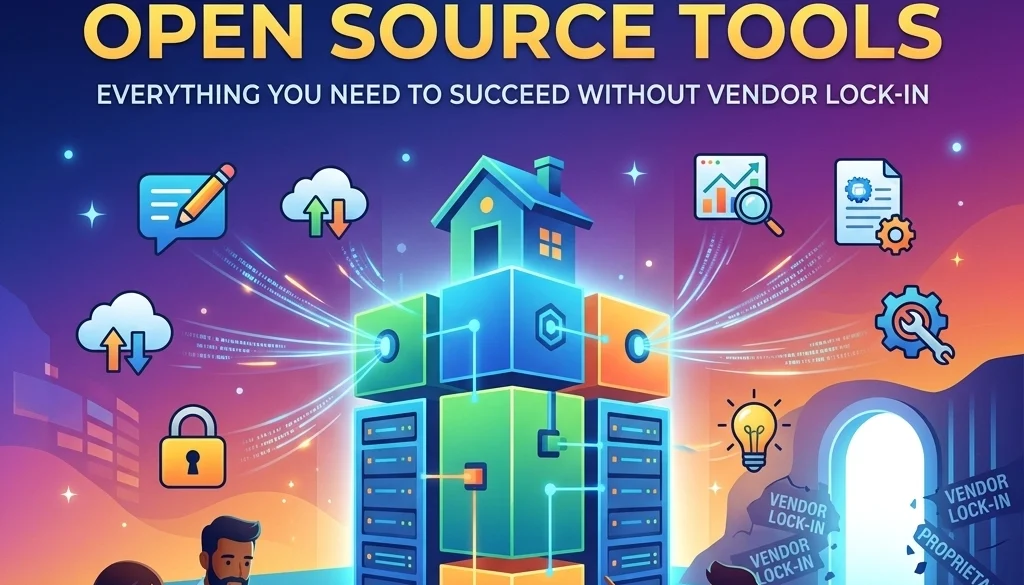
The Ultimate Guide to Self-Hosted Open Source Tools: Everything You Need to Succeed Without Vendor Lock-in
Definition of Self-Hosting
Self-hosting refers to the practice of running and maintaining software applications on private servers or local infrastructure. This contrasts with Software-as-a-Service (SaaS), where applications are hosted by third-party providers. In a self-hosted environment, the user retains full control over the application, the underlying data, and the hardware configuration.
Self-hosted open source tools are software solutions with source code that is publicly accessible, modifiable, and distributable. These tools are deployed within a controlled perimeter, ensuring that data does not exit the organization’s designated infrastructure.
Elimination of Vendor Lock-in
Vendor lock-in occurs when a customer becomes dependent on a specific provider for products and services. Transitioning to a different provider is rendered difficult due to proprietary formats, incompatible technologies, or contractual obligations.
The adoption of self-hosted open source tools removes these dependencies.
- Data Portability: Data is stored in standard formats (e.g., PostgreSQL, JSON, Flat Files).
- Software Continuity: Should a commercial entity cease operations, the open source code remains available for continued use and maintenance.
- Price Stability: Costs are dictated by infrastructure consumption rather than per-user subscription fees determined by external vendors.
Core Advantages of Self-Hosted Infrastructure
1. Data Sovereignty and Privacy
Organizations maintain absolute ownership of their datasets. This is a requirement for compliance with regulations such as GDPR, HIPAA, and various local data localization laws. External entities have no access to the stored information.
2. Operational Customization
Open source software allows for deep modification. Users can alter the source code to meet specific business requirements that proprietary tools cannot accommodate.
3. Cost Control at Scale
SaaS pricing models often scale linearly with the number of users or executions. Self-hosting shifts the cost structure to a fixed or resource-based model. High-volume operations benefit from significant cost reductions.

Key Self-Hosted Tools for 2026
n8n: Workflow Automation
n8n is an extendable workflow automation tool. It serves as a self-hosted alternative to platforms like Zapier or Make.
- Functionality: It enables the connection of various applications through a visual interface to automate repetitive tasks.
- Deployment Benefit: Unlike cloud-based automation tools, n8n allows for an unlimited number of executions and nodes without increasing subscription costs.
- Integration: It supports over 400 integrations and features a robust AI node for building autonomous agents.
For organizations requiring professional setup, n8n deployment services provide the necessary technical foundation to ensure high availability and security.
Supabase: The Open Source Firebase Alternative
Supabase provides the backend infrastructure necessary for building applications. It integrates several open source tools into a single platform.
- PostgreSQL: A powerful relational database for data storage.
- Authentication: Tools for managing user sign-ups and logins.
- Real-time: Functionality to listen to database changes in real-time.
- Storage: Systems for managing large files and media.
By self-hosting Supabase, developers maintain control over their application’s backend without the risk of sudden price hikes associated with proprietary cloud backends. More information on custom backend solutions is available at Marketrun Custom Software.
Ollama: Local Large Language Models
Ollama facilitates the local execution of Large Language Models (LLMs) such as Llama 3, Mistral, and Phi.
- Privacy: Sensitive prompts and data are processed locally. No data is sent to external AI providers.
- Performance: Model performance is dependent on local GPU/CPU resources rather than API latency or rate limits.
- Cost: Eliminates token-based billing.
Integrating Ollama into business workflows is detailed in the Self-Hosting LLMs 2026 Guide.

Implementation Methodologies
Docker and Containerization
Docker is the standard for deploying self-hosted tools. It packages applications into containers that include all necessary libraries and dependencies.
- Docker Compose: Used for defining and running multi-container applications. A single YAML file configures the services.
- Portability: Containers run consistently across different environments (Development, Staging, Production).
- Isolation: Each application runs in its own environment, preventing dependency conflicts.
Kubernetes for Scalability
For enterprise-grade deployments, Kubernetes manages containerized workloads. It provides:
- Auto-scaling: Adjusts resources based on demand.
- Self-healing: Automatically restarts failed containers.
- Load Balancing: Distributes traffic across multiple instances.
Organizations looking for scalable infrastructure can explore Marketrun Solutions.
Infrastructure Requirements
Hardware requirements vary based on the selected toolset:
| Tool | Minimum CPU | Minimum RAM | Recommended Storage |
|---|---|---|---|
| n8n | 1 vCPU | 2 GB | 20 GB SSD |
| Supabase | 2 vCPU | 4 GB | 50 GB NVMe |
| Ollama | 4 vCPU (or GPU) | 8 GB | 100 GB SSD |
| Nextcloud | 2 vCPU | 4 GB | 500 GB+ HDD/SSD |
A wired Ethernet connection and a consistent power supply are mandatory for on-premise hardware. Alternatively, Virtual Private Servers (VPS) from providers like Hetzner or DigitalOcean can host these tools while maintaining software ownership.

Strategic Deployment Steps
- Audit Existing SaaS Dependencies: Identify tools where costs are high or data privacy is critical.
- Selection of Tools: Choose open source alternatives that match the required feature set.
- Pilot Environment: Deploy the tool in a non-production environment using Docker.
- Data Migration: Transfer data from the SaaS provider to the self-hosted instance.
- Monitoring and Backups: Implement automated backup schedules and resource monitoring.
For businesses operating in different regions, specific strategies are available for US clients and India clients.

Security Considerations
Self-hosting shifts the responsibility of security to the user. Key protocols include:
- Reverse Proxies: Use Traefik or Nginx Proxy Manager to handle SSL certificates and incoming traffic.
- VPN/Zero Trust: Restrict access to tools using a VPN (Tailscale, WireGuard) or Zero Trust tunnels (Cloudflare Tunnels).
- Regular Updates: Automate the pulling of new container images to patch security vulnerabilities.
- Database Encryption: Ensure data at rest and data in transit are encrypted.
Automation and AI Integration
The integration of self-hosted AI agents and automation creates a closed-loop system. By combining n8n with Ollama, an organization can automate document processing, customer support, and data analysis without external API dependencies.
Details on building these systems are located in the AI Agents and Automations Guide.

Financial Impact and ROI
The Return on Investment (ROI) for self-hosting is realized through the elimination of recurring monthly fees.
- Example Case: An organization using Zapier for 50,000 tasks per month may pay approximately $600/month. A self-hosted n8n instance on a $20/month VPS performs the same volume, resulting in a 96% reduction in software expenditure.
- Asset Ownership: The software infrastructure becomes a company asset rather than a liability.
The AI Automation ROI Calculator provides a framework for measuring these savings.
Conclusion of System Implementation
Self-hosting open source tools provides a path to operational independence. By utilizing platforms like n8n, Supabase, and Ollama, organizations ensure data privacy and financial efficiency. Marketrun provides the technical expertise to deploy and manage these systems, ensuring stability and performance.
Further technical documentation and service details can be found at marketrun.io.


